Card structure of an ISO 15693 card
Overview
- An ISO 15693 card memory consists of several blocks.
- To access data on the card you'll basically need to know:
- In which block(s) is the relevant data stored?
- How many bytes does the block contain?
- What's the location of the data within the block?
- In what format is the data encoded?
Mapping to configuration values
Below, the card structure is illustrated in more detail. Move your mouse over a question mark to get details about each element and how it corresponds to the values in the configuration components Autoread ISO 15693 Number in Block and ISO 15693 VHL File in BALTECH ConfigEditor.
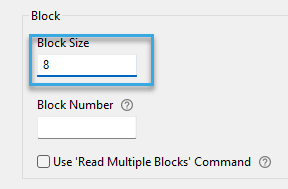
An ISO 15693 card stores data in blocks. The block size defines the number of bytes per block. Valild values are 4, 8, or 32.
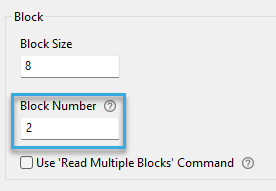
Each block has a unique number, starting at 0. Enter the number of the block containing the programmed card number (PCN). If the PCN spans multiple blocks, specify the first block.
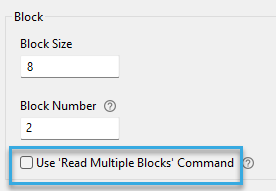
Some ISO 15693 cards only support reading multiple blocks at once, not single blocks. If that applies to your card, check this box. If you're unsure and lack details from your card issuer, leave it unchecked.
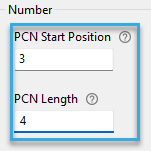
Block content is organized in bytes. To indicate the position of the programmed card number (PCN) within the (starting) block, specify the following:
- PCN start position, i.e. the number of the byte in which the PCN starts. The byte number is unique within the block, starting at 0.
- PCN length, i.e. how many bytes the PCN consists of.
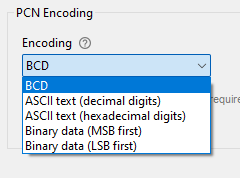
Data format in which the programmed card number (PCN) is encoded on the card. It tells the reader how to interprete the data on the card, so the correct number is transmitted to your host system.
Download request form
Send the following form to your card issuer to request the card structure details needed for reading a programmed card number (PCN) from your ISO 15693 cards.
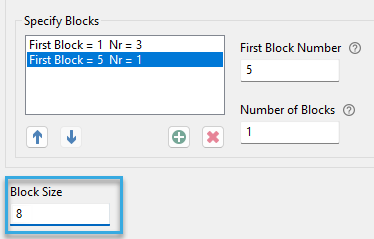
An ISO 15693 card contains multiple blocks. Specify the blocks you want to access—either individually or as groups of consecutive blocks. Example: To access blocks 1, 2, 3, and 5, enter:
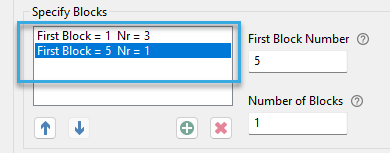
The start position and length of the relevant data within these blocks must later be defined in the VHL.Read or VHL.Write command.
The block size defines the number of bytes per block. Valild values are 4, 8, or 32.